Real-Time Inventory
Teams relied on spreadsheets to track inventory across locations—spending hours reconciling stock, dealing with frequent errors, and making decisions without trustworthy data.
I redesigned this into a real-time, unified inventory system—reducing manual reconciliation, improving accuracy, and helping drive an 18% increase in recurring revenue.
Phase 1 · Understand
Problem
- Users: Teams needed accurate stock counts without hours of reconciliation; otherwise projects slipped and equipment went missing
- Stakeholders: Enterprise prospects expected integrated inventory before signing deals
Objectives
- Reduce manual tracking and errors
- Automate alerts and reorders
- Integrate with purchasing/projects
Research Insights
- Methods: 6 user interviews, workflow mapping, and a competitive analysis
- Time sink: 2–3 hours/day reconciling stock; 15–20% error rates
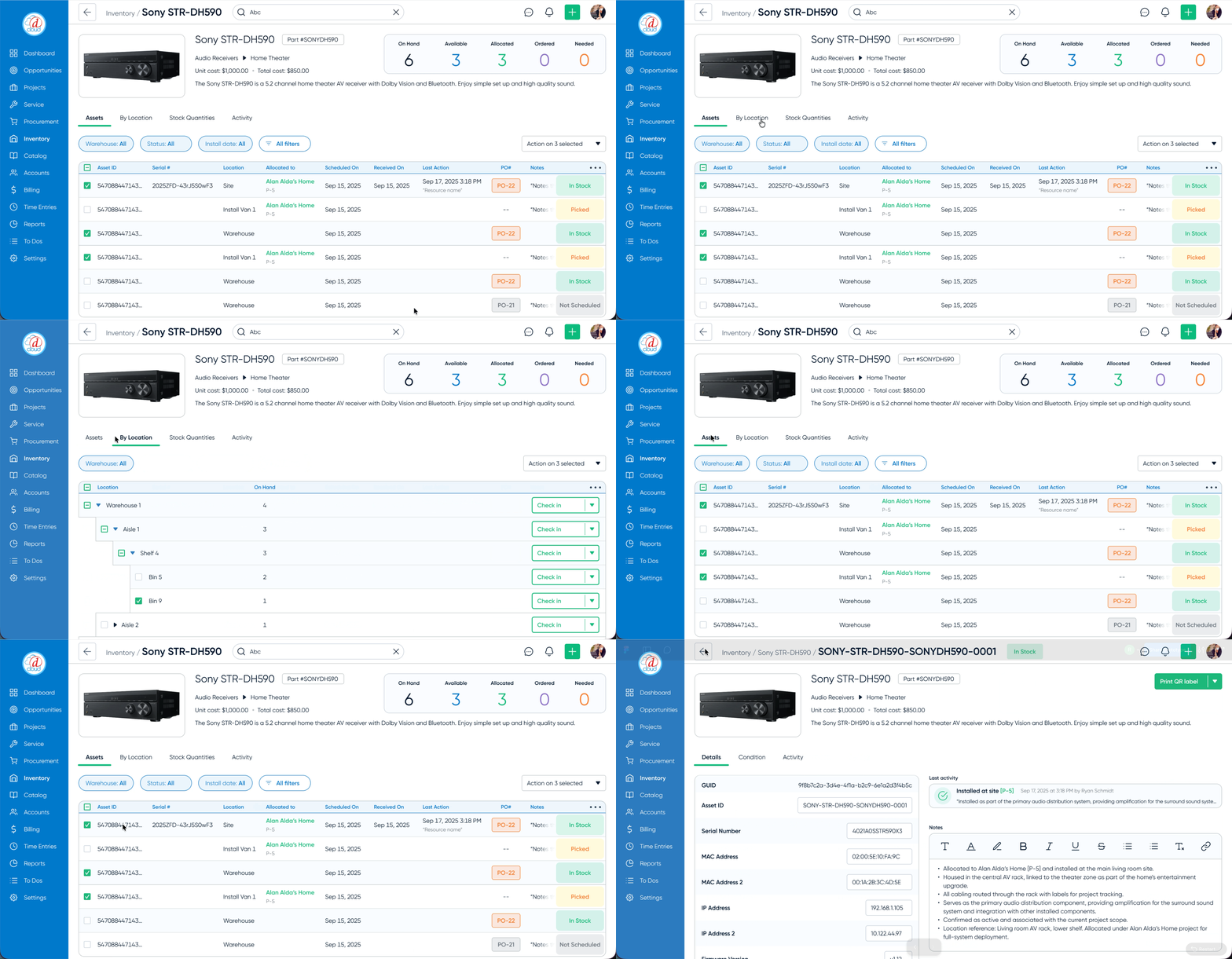
- User split: Small AV shops needed fast confidence in quantities, while larger teams needed asset‑level traceability (tracking specific asset numbers) for accountability
- Market signal: Integrated inventory was table stakes in enterprise deals
Defining Decision
We could have shipped a simpler, spreadsheet-like solution with periodic updates.
Instead, I pushed for a real-time, unified inventory system across projects and locations. While this added technical complexity, it eliminated duplicate sources of truth and ensured teams could trust inventory data everywhere.
Phase 2 · Decide
Solution Journey
Problems
- Manual spreadsheet reconciliation hid low‑stock thresholds, causing delays and last‑minute emergency buys
How Might We
How might we surface critical inventory risks and eliminate manual reconciliation?
Solutions
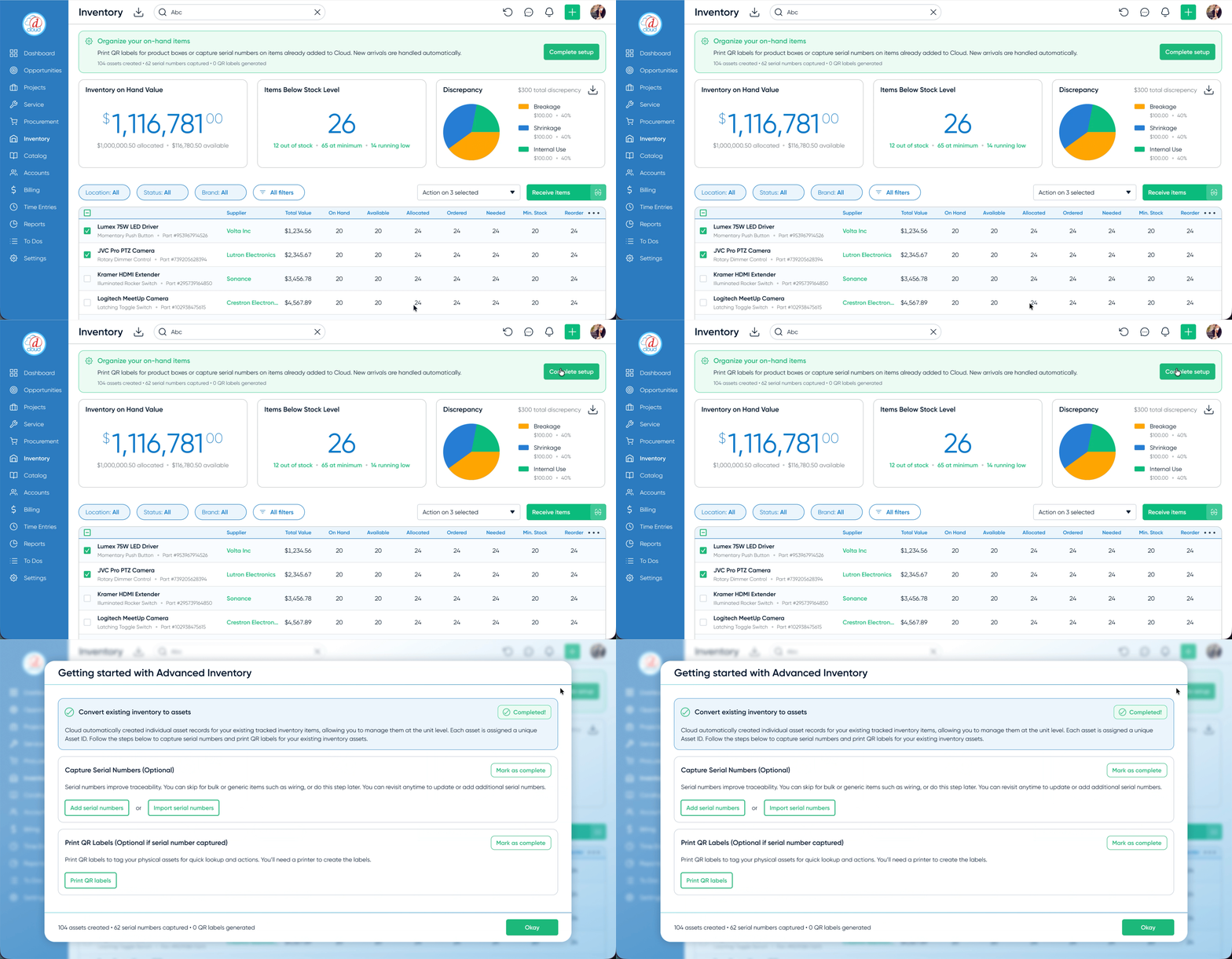
- Surface risk: Visual low-stock and incoming-PO indicators on the inventory dashboard
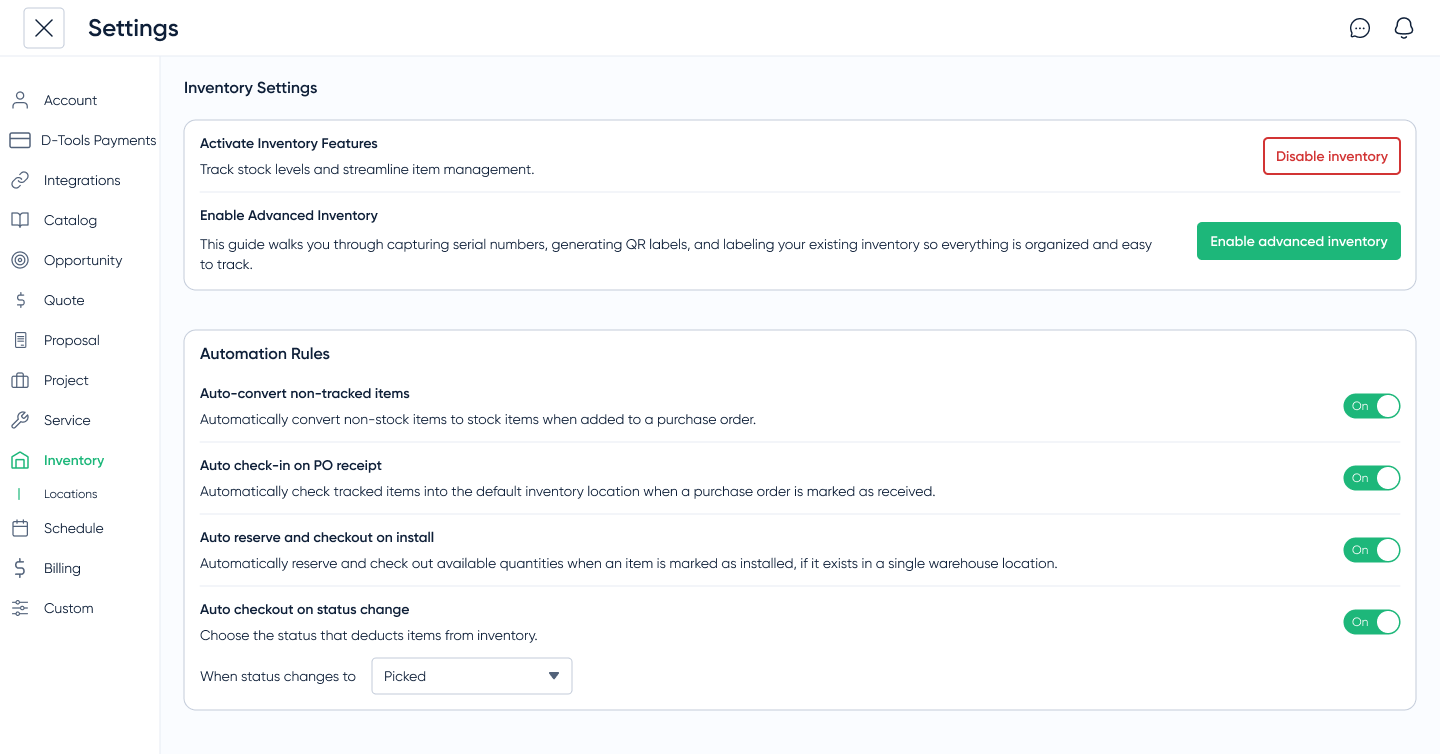
- Automation: PO-driven stock updates and status changes across locations
Key decisions & tradeoffs
- Real-time unified model: Chose a single real-time system across locations despite added complexity—ensuring consistent, reliable stock counts everywhere
- Manual reordering (MVP): Started with alerts instead of automation to validate workflows before adding complexity
- Native integration: Integrated directly with purchasing and project tools to meet enterprise expectations and avoid tool sprawl
Design Highlights
Prototyping & Validation
Ran three rounds of high‑fidelity Figma tests to validate receiving, alerts, multi‑location inventory, and reordering flows for clarity and error reduction.
One system, two operating modes
Testing revealed a clear split: smaller teams needed quick confidence in quantities, while larger teams required asset-level tracking.
I redesigned the system to be quantity-first by default, with deeper asset tracking available when needed—keeping it simple without limiting power.
Quality & Handoff
- Edge‑case coverage: Documented how allocations, multi‑location states, and receiving/reordering rules affect “available” inventory so UI behavior stays consistent
- Shared data model: Aligned with engineering on how locations, allocations, and asset‑level tracking roll up into one source of truth for stock counts
Impact
RThe system replaced fragmented tracking with a single source of truth—reducing reconciliation time, improving project accuracy, and surfacing unused inventory.
One customer uncovered thousands of dollars in unused equipment, highlighting how much value had been hidden in disconnected workflows.
Phase 4 · Forward Thinking
Next Steps
- MVP lesson: Ship the “PO received” loop first to build trust, then layer automation
- Next: auto-PO creation from thresholds, mobile scanning, and stock analytics (velocity and dead stock)