
Building My Portfolio in Code
I built this portfolio in HTML, CSS, and JavaScript with AI coding tools. Working in the browser let me test responsive layouts and keyboard interactions as I designed, while keeping the implementation under my control.
At a glance
- The Goal: I wanted to build the entire site in code to sharpen my UX engineering workflow, test layout behavior and keyboard navigation under real rendering conditions, and ship without a frontend bottleneck.
- How I Built It: Wrote custom semantic HTML and modular CSS with Cursor, avoiding bloated templates or heavy frontend frameworks. I built a serverless backend with Supabase and pgvector so the assistant could use relevant project notes rather than sending a full content file.
- The Result: The result is a custom portfolio with shared design tokens, reusable page patterns, and an assistant connected to my project notes. Building it also gave me a practical workflow for testing interface ideas in code.
Problem
I do my best work when I'm close to the implementation. Sitting between design and engineering helps me spot technical constraints early, speak the same language as our developers, and avoid designing interactions that are difficult to maintain in production.
Rather than putting static screenshots in a CMS template, I built this portfolio from scratch to test modern AI-assisted engineering tools on a real project.
What I set out to do
- Move directly from an interaction idea into working code in a few hours
- Create a clean token hierarchy that keeps styles modular across multiple pages
- Build an AI chat assistant connected to relevant project notes
- Keep the site lightweight, semantic, and keyboard accessible
Approach
I organized the project around clear technical guardrails: defining tokens first, standardizing layout grids, and testing interactions directly in the browser.
- Cursor & Claude Code: Coding environments for writing semantic markup, styling tokens, and frontend scripts
- Vercel & Supabase: Serverless deployment, vector search, and edge caching
The biggest takeaway was that AI tools are only as good as the guardrails you give them. When you establish clear tokens and layout rules upfront, AI acts as a reliable accelerator for boilerplate code rather than generating messy overrides.
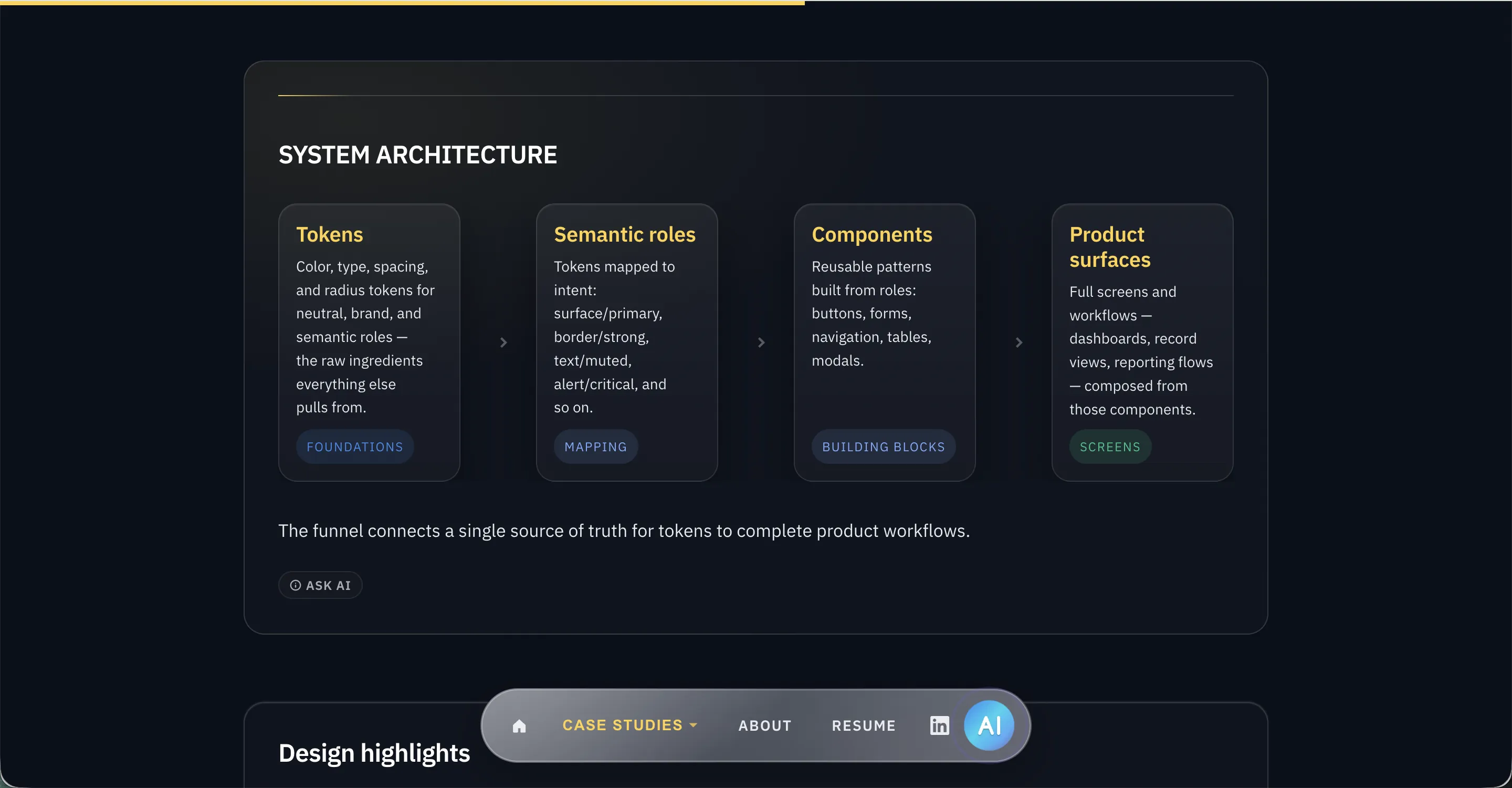
System architecture
I treated the codebase like a design system from day one: defining tokens first, standardizing layout grids, and reusing markup patterns across all four case studies so every new section snapped into place cleanly.
Prompts
Clear, constrained instructions defining what to build and how
FoundationPatterns
Reusable prompt structures for common UI and interaction problems
StructureComponents
Reusable elements like navigation, cards, layouts, and sections
Building blocksFeatures
Full experiences including case studies and interactive elements
ShippedThe system connects structured prompts to real product features, not just generated code.
Illustrative architecture walkthrough
See how the assistant works
This walkthrough illustrates how a visitor question travels through the assistant pipeline, from input to retrieval and generation, rather than displaying real-time backend execution traces.
What has Ryan built related to AI?
User submits question from the chat widget
Orchestrator
Receives question, checks tools needed, routes to RAG
- Parse question intent
- Check portfolio context
- Route to knowledge retrieval
- Format system prompt
Supabase pgvector
Searches 34 curated knowledge chunks for context
Gemini 2.5 Flash
Generates answer from retrieved context + system prompt
Ryan built an AI-powered portfolio assistant that uses structured project content, retrieval, and Gemini to answer visitor questions about his product design work, systems thinking, and builder experience.
Ready Type a question or use the default prompt, then run the walkthrough.
Building the system
Designing directly in the browser
Figma is great for team alignment, but jumping straight into HTML and CSS cut out an entire layer of translation lag. I could resize my browser window, test keyboard navigation, and check contrast under real rendering conditions instead of pretending static mockups told the whole story.
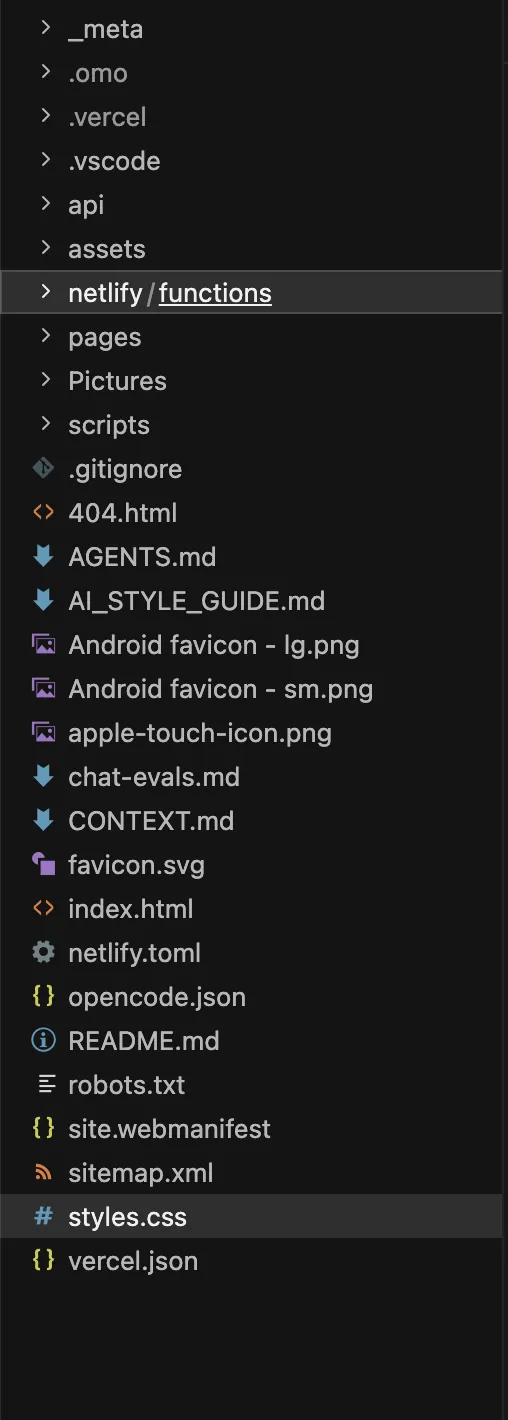
Setting ground rules before writing code
If you do not give an AI coding tool strict rules, it will happily invent new CSS classes on every prompt and pad your copy with corporate fluff. Before writing code, I set up explicit project guidelines in local markdown files (CONTEXT.md and AGENTS.md). These defined my tone preferences, banned resume buzzwords, and set hard standards for keyboard accessibility and semantic HTML.
Keeping the CSS modular
The fastest way for an AI-assisted codebase to turn into an unmaintainable mess is letting it write styling rules wherever it wants. I split the stylesheets into clear layers: tokens for colors and spacing, base styles for typography, layout files for grids, and component files for interactive widgets (tokens.css, base.css, layout.css, components.css, pages.css). That kept our CSS clean, prevented styling collisions, and made stylesheets straightforward to maintain.
Implementation highlights
- A consistent case study template that lets readers scan decisions quickly
- Reusable layout patterns and components across every page
- An AI chat widget connected to semantic search for hiring managers who want quick answers
- Semantic HTML, ARIA landmarks, and SEO metadata baked directly into the templates
The result was a fast, accessible portfolio that behaves like a real product surface rather than a static brochure.
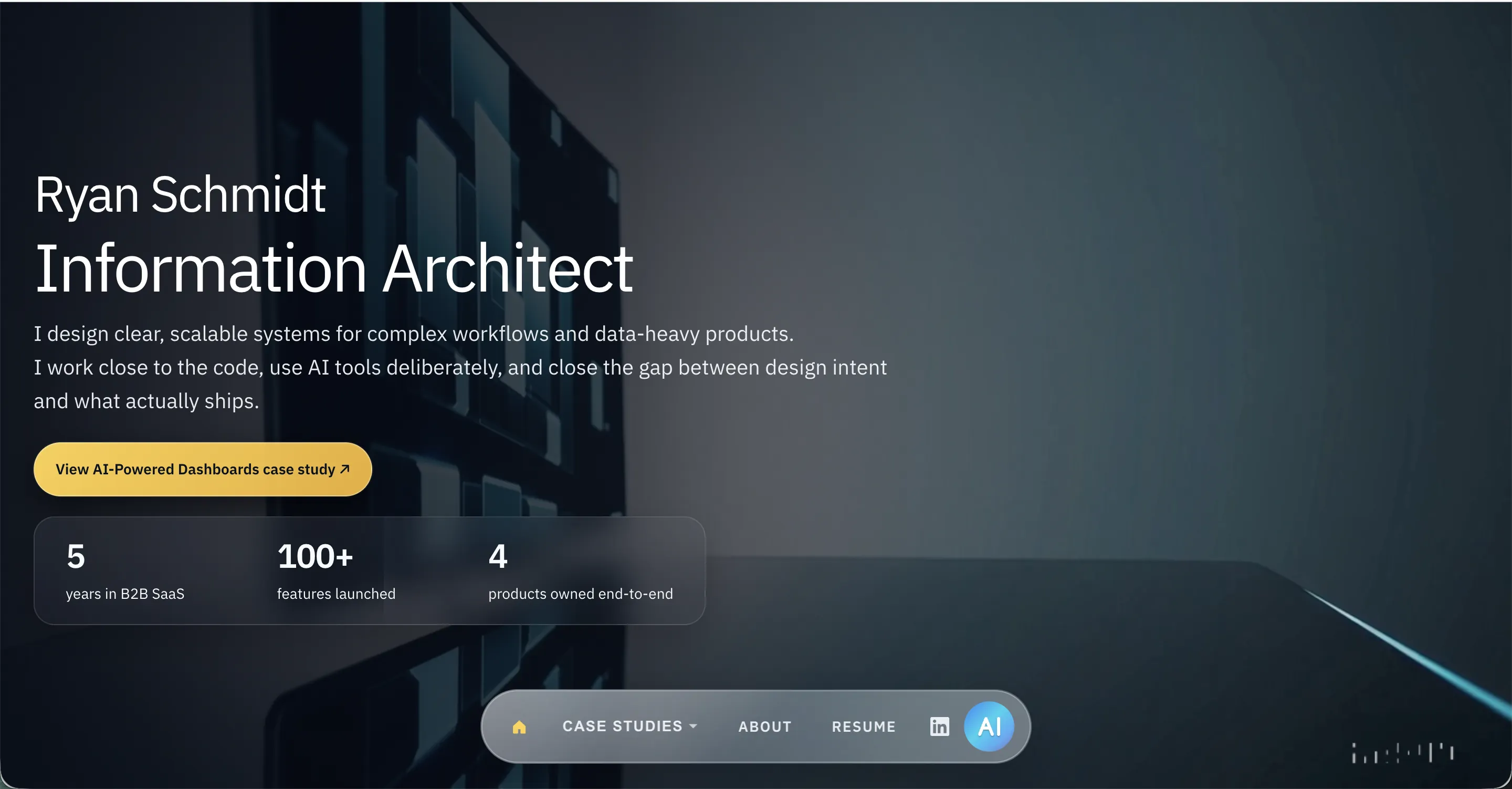
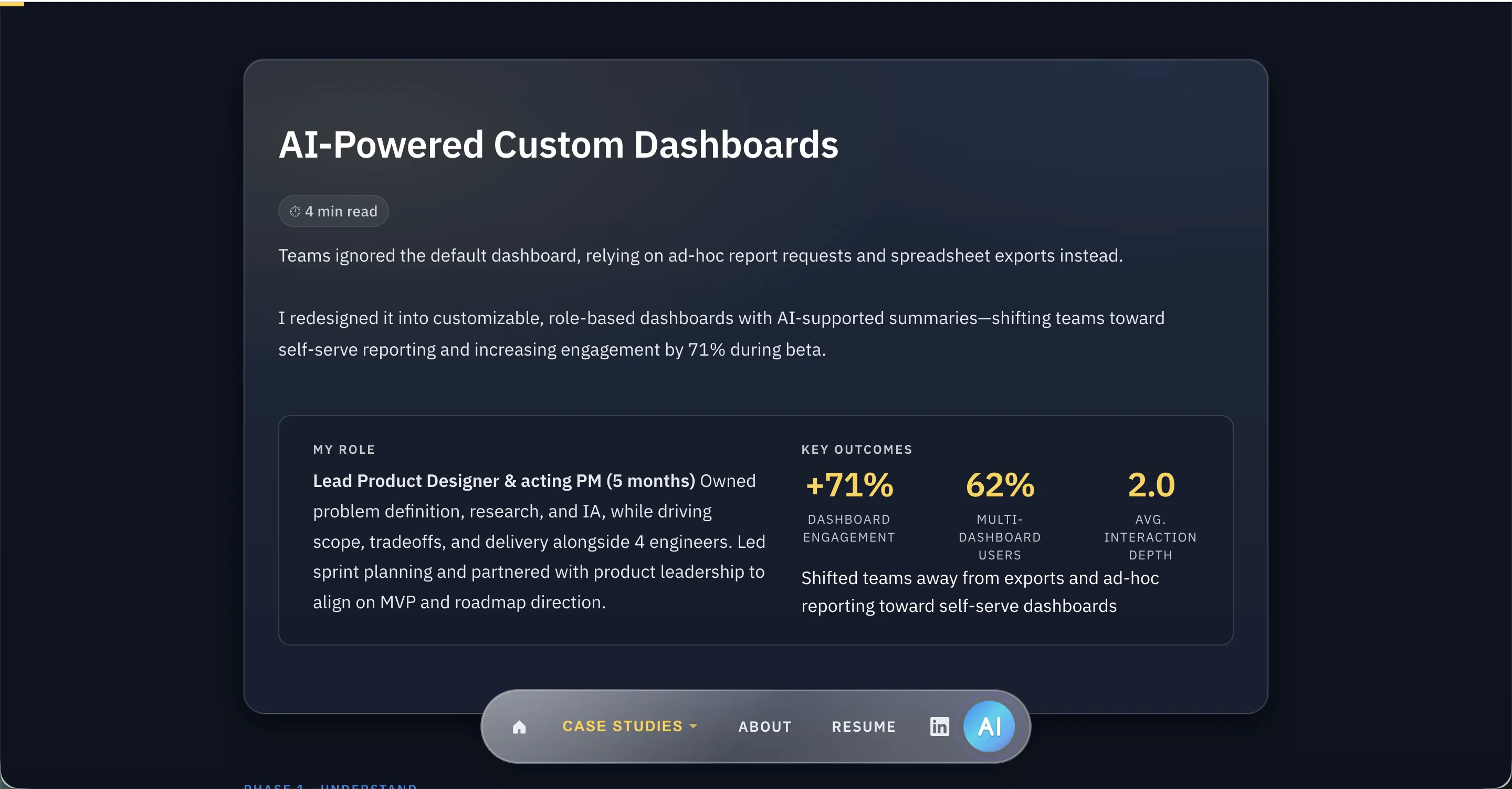
Here is a look at the previous version of this portfolio (hand-built, static HTML) compared to the current rebuild.
Making the AI Assistant Useful
The first version of my portfolio assistant shoved an entire 40KB JSON file into every single API call. It was simple to set up, but it was inefficient and blew through token limits the second someone asked a nuanced question.
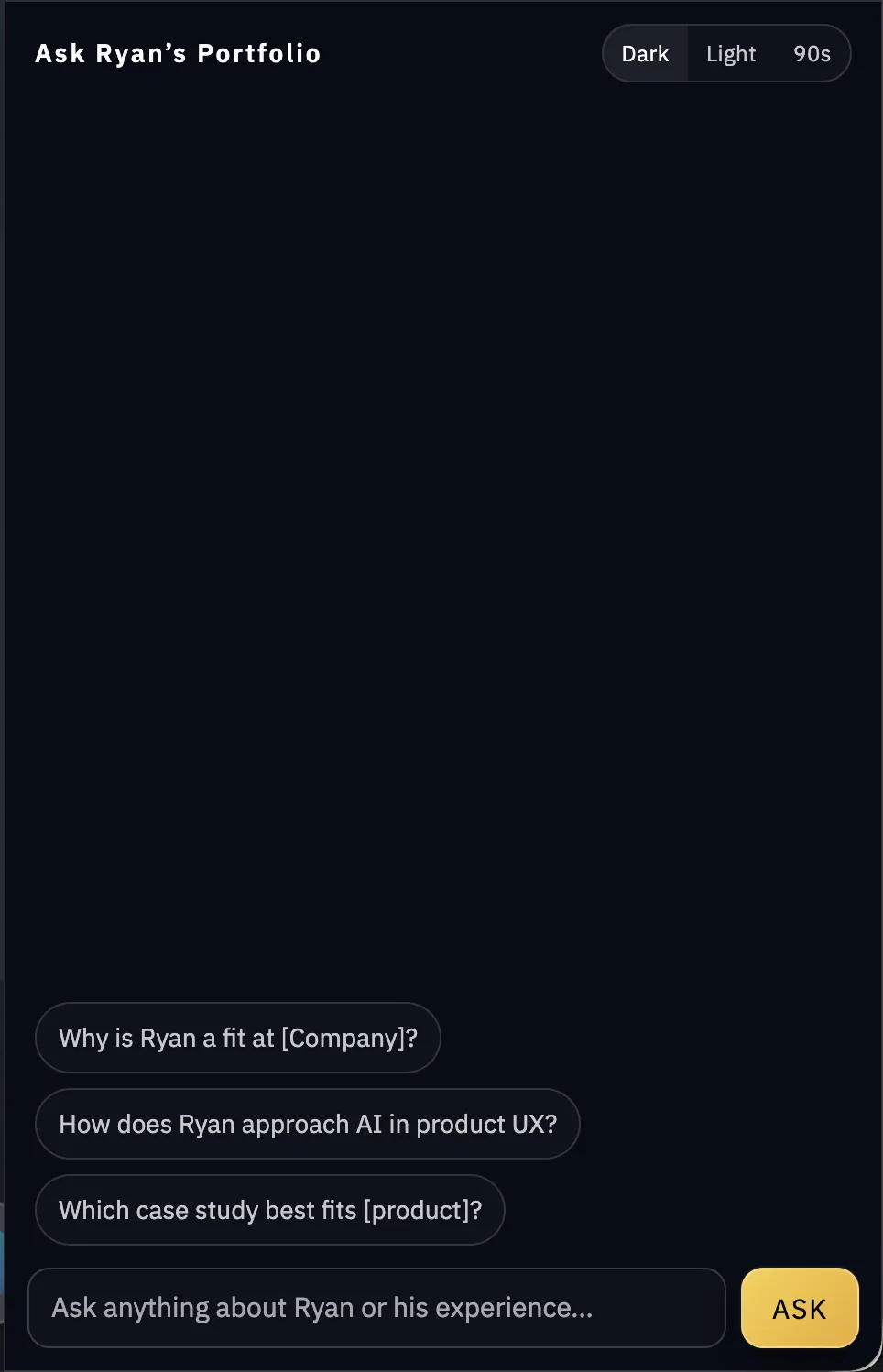
I rebuilt the backend around Supabase and pgvector. Now, every case study and project note is broken into small chunks and indexed using Gemini embeddings. When a recruiter or visitor asks a question, the backend retrieves only the three or four most relevant paragraphs before generating an answer.
Getting the tone and accuracy right took plenty of testing. I had to set strict boundaries so the bot would decline questions outside my background, stream answers smoothly without lag, and track resume downloads so I know what hiring managers care about most.
Impact
The result is a custom portfolio with shared design tokens, reusable page patterns, and an assistant connected to my project notes. Building it also gave me a practical workflow for testing interface ideas in code.
The biggest advantage is rapid validation. When I want to test a layout idea or micro-interaction, I can build a working prototype in an afternoon, run it on a phone, and see if the ergonomics actually work.
What Didn't Work
Early on, I went down a rabbit hole building multiple visual skins, including a dark mode and a retro Windows 95 theme (alongside the terminal mode). While they were fun technical experiments, maintaining three separate color palettes and border conventions tripled CSS token maintenance and distracted from the case studies themselves.
I stripped the site back to a single high-contrast light theme to keep the design system maintainable and focused on content clarity. The lesson was straightforward: just because AI makes generating code fast doesn't mean you should keep every feature you prototype.
Lessons & Next Steps
Lessons
AI coding tools do not replace good software practices. If anything, they punish you faster if you do not have a plan. Without clear architecture upfront, an LLM will happily hand you messy CSS and duplicate utility classes.
- Detailed system rules beat prompt hacking: Setting up explicit coding conventions and design tokens in markdown prevented messy rewrites later.
- Browser testing catches real-world friction: Inspecting live HTML and CSS revealed keyboard navigation quirks and awkward responsive wrapping that Figma never surfaced.
- Fast prototyping requires discipline: When coding is quick, it's easy to build unnecessary features (like the retro themes I ended up cutting). Knowing what to prune is the real job.
Next
- Fine-tune vector retrieval evaluation for more precise project citations in the chat widget
- Add lightweight code sandboxes for interactive case-study components
Custom Dashboards & AI Summaries
Rebuilding a legacy BI tool around role-based templates and grounded AI summaries, driving 62% multi-dashboard adoption.